
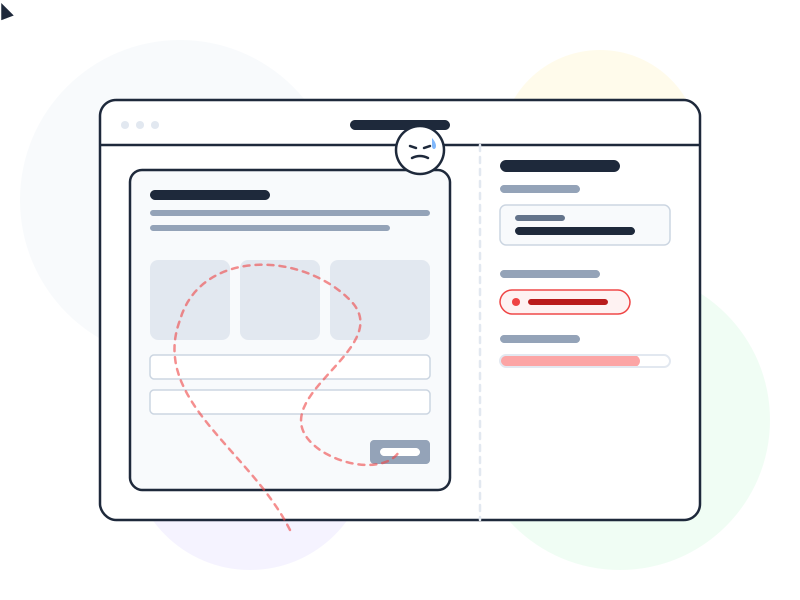
Usability testing is a UX research method where real users attempt specific tasks in a product while a researcher observes their behavior. It reveals what works, what confuses, and what breaks – based on what people actually do, not what they say they’d do.
Why It Matters
Teams routinely overestimate how intuitive their product is. After months of building and iterating, every feature feels obvious – to the people who built it. Usability testing shatters that illusion by putting the product in front of someone who has never seen it before.
The insights from usability testing are difficult to get any other way. Analytics tell you what users do – where they click, where they drop off. Usability testing tells you why. Why did they miss that button? Why did they abandon the form on step three? Why did they go to Settings when the answer was in Help? These “why” answers drive design decisions that data alone can’t inform.
Perhaps most importantly, usability testing is fast and inexpensive. Testing with as few as 5 users reveals roughly 85% of usability problems in a design. You don’t need a research lab, a large budget, or weeks of preparation. A quiet room, a screen-share tool, and five willing participants are enough to transform your understanding of how users experience your product.
How It Works / Types
Usability tests vary along two key dimensions: whether a facilitator is present, and where the test takes place.
Moderated Testing
A facilitator guides the session in real time – either in person or via video call. They introduce tasks, observe behavior, ask follow-up questions (“What were you expecting when you clicked that?”), and probe deeper when something interesting happens. Moderated testing produces rich, nuanced insights because the facilitator can explore unexpected behaviors as they occur.
Best for: complex flows, early-stage prototypes, tasks where context matters, and situations where you need to understand the reasoning behind user behavior.
Unmoderated Testing
Participants complete tasks independently, without a facilitator present. They follow written instructions, and their screens and voices are recorded for later review. Unmoderated tests are faster to schedule and can reach geographically diverse participants at lower cost.
Best for: straightforward tasks, live products, quantitative benchmarking (task completion rates, time on task), and situations where you need results from many participants quickly.
Remote vs. In-Person
Both moderated and unmoderated tests can happen remotely (via screen-sharing tools like Lookback, UserTesting, or Zoom) or in person (in a usability lab or any quiet room). Remote testing has become the standard for most teams because it’s easier to recruit participants and doesn’t require travel.
Real-World Example
Imagine a SaaS team that redesigned their dashboard. The new design looks clean and modern – the team is proud of it. But after launch, support tickets about “missing features” spike by 40%. The features aren’t missing – users just can’t find them.
A quick usability test with 5 users reveals the problem: the new navigation uses icon-only labels without text. Users who knew the old text labels can’t match icons to features. One user says, “I see the chart icon but I don’t know if that’s Reports or Analytics.” The fix – adding text labels below icons – takes an hour to implement and would have cost nothing to discover before launch.
This is the typical pattern: a usability test catches in 30 minutes what takes weeks of support data to diagnose.
How to Apply
-
Write realistic task scenarios, not instructions. Don’t say “Click the Settings gear, then select Notifications.” Say “You’re getting too many email alerts from this app. Find a way to reduce them.” The first tests whether users can follow directions. The second tests whether your design is intuitive.
-
Recruit participants who match your user personas. Testing with the wrong users produces misleading results. If your product is for accountants, don’t test with designers. If it’s for beginners, don’t recruit power users. Match participants to the people who’ll actually use the product.
-
Test early, with rough prototypes. You don’t need a polished product to run a usability test. Paper sketches, clickable wireframes, and Figma prototypes all work. The earlier you test, the cheaper it is to fix what you find – and rough prototypes invite more honest feedback because users feel less bad criticizing something that looks unfinished.
-
Stay quiet during sessions. The hardest skill in moderated testing is resisting the urge to help. When a user struggles, don’t point them to the right button. Don’t explain how the feature works. Observe the struggle – that’s the data you need. If they ask for help, redirect: “What would you try next if I weren’t here?”
-
Focus on patterns, not individual opinions. One user’s frustration might be an outlier. Three users stumbling at the same point is a pattern. Look for recurring problems across sessions rather than reacting to every individual comment.
Common Mistakes
Testing too late in the process. When usability testing only happens after the design is “finished,” the team is psychologically and practically committed to the current solution. Discovering a fundamental navigation problem at this stage means expensive rework. Test throughout the design process – not just at the end.
Asking users what they want instead of observing what they do. “Would you use this feature?” almost always gets a “yes.” What users say they’d do and what they actually do are often very different. Usability testing works because it measures behavior, not opinion. Focus on whether users can complete tasks, not whether they say they like the design.
Usability testing answers the why behind behavior that other methods surface as the what. Heatmaps and eye-tracking reveal where users look and interact on a page; usability testing explains the reasoning behind those patterns. A/B testing measures which design performs better at scale – usability testing reveals why one version works better than the other.
Testing with too many tasks. A session with 15 tasks takes over an hour and exhausts participants. Fatigued users rush through later tasks, producing unreliable data. Keep sessions to 30-45 minutes with 5-8 focused tasks that cover your most critical user flows.
Further Reading
- Usability Testing 101 – Nielsen Norman Group’s comprehensive introduction to planning and running usability tests
- What is Usability Testing? – Interaction Design Foundation’s guide to usability testing methods and best practices