
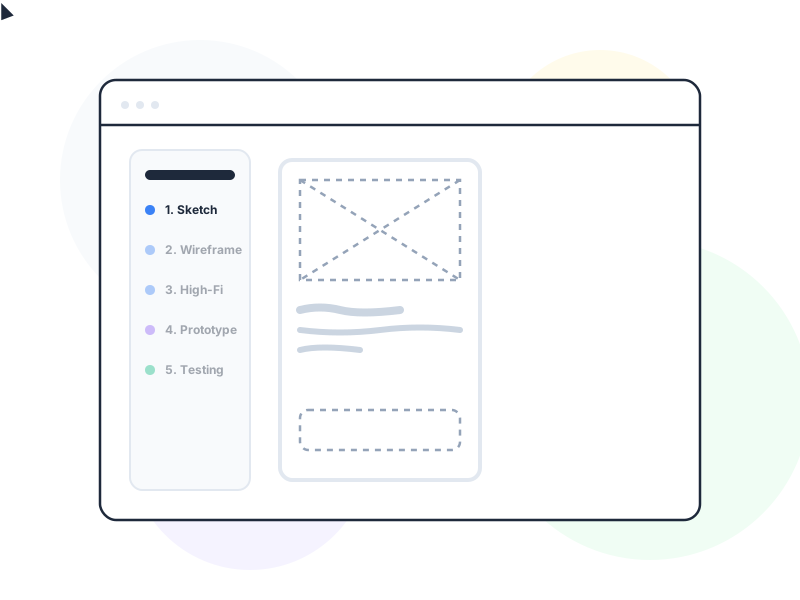
A UX prototype is a simulation of a product or feature – ranging from a paper sketch to an interactive digital mockup – built not to be shipped, but to be tested, so teams can learn what works before committing to full development.
Why It Matters
Building software is expensive. The later in a development cycle a problem is discovered, the more it costs to fix – not just in engineering hours, but in momentum, morale, and opportunity cost. Prototypes exist to move that discovery earlier, when changes cost almost nothing.
The fundamental logic: you can learn 80% of what you’d learn from a real product by testing a good prototype, at 5% of the development cost. A paper prototype tested with five users on a Tuesday afternoon will reveal navigation problems, confusing labels, and broken mental models that no amount of internal review would catch – and it costs a few hours, not a sprint.
More practically, prototypes create shared understanding. A written spec describes a product; a prototype shows one. Stakeholders who would otherwise interpret a spec document through entirely different mental models can react to the same concrete experience. This reduces misalignment between what design intended, what engineering built, and what stakeholders approved.
How It Works / Fidelity Levels
Prototype fidelity describes how closely a prototype resembles the finished product, across visual polish, interactivity, and content. Different fidelity levels answer different questions.
Paper prototypes are sketches on paper, index cards, or sticky notes. They take minutes to produce and can be tested immediately – a facilitator manually “advances” screens by swapping paper sheets as a user taps. They’re ideal for the earliest stage of ideation, when you need to test navigation structure and basic flow before any visual decisions have been made. Zero barrier to iteration: users feel comfortable critiquing paper because it clearly isn’t finished.
Low-fidelity digital prototypes are grayscale wireframe-level screens made interactive in a tool like Figma or similar. They test information hierarchy and flow without visual design. The absence of color and polish is deliberate – it keeps feedback focused on structure rather than aesthetics.
Mid-fidelity prototypes introduce some visual design – typography, color, basic component styling – while remaining faster to produce than a polished design. Useful when you need to test whether visual hierarchy is communicating priority correctly, or when stakeholders need more visual context to give meaningful feedback.
High-fidelity prototypes closely match the intended final visual design, including realistic content, animations, and micro-interactions. They’re appropriate for final usability validation before development and for stakeholder presentations where visual fidelity matters. The cost of changes is higher than earlier fidelity levels, so these should be produced after lower-fidelity tests have resolved the structural questions.
Coded prototypes are real HTML/CSS/JS implementations, sometimes using a production codebase. They’re the only way to test real interactions that are impossible to fake in design tools – complex animations, actual network latency, touch gestures, form submission flows. They bridge the prototype-to-product gap and are most valuable when fidelity of interaction, not just appearance, is the question.
Prototype vs Wireframe
These terms are often confused, but they describe different things. A wireframe is a static layout document – it shows the structure and placement of elements on a screen, but doesn’t respond to user input. A prototype is interactive – it responds to taps, clicks, and navigation in a way that simulates real usage.
The practical difference: a wireframe answers “where do things go?” A prototype answers “does this actually work as intended when someone uses it?”
Both have value. Wireframes are faster to produce and appropriate for communicating layout decisions to developers or stakeholders. Prototypes are necessary for usability testing, because users need something to actually use.
Prototype vs MVP
A prototype is disposable – it’s never shipped. It exists only to generate learning. An MVP (Minimum Viable Product) is a real, shippable product with the minimum feature set needed to validate a business assumption in a live market. An MVP is built to be used; a prototype is built to be tested and discarded.
The confusion arises because both are “minimal” versions of something. The distinction is intent: prototype → learn → discard or iterate. MVP → ship → measure → improve.
Tools (Brief Context)
Figma is the dominant tool for mid-to-high-fidelity prototypes, with built-in interactive connections, transition animations, and component libraries. Framer supports more complex animations and code-based interactions. ProtoPie handles conditional logic and multi-device interactions that Figma can’t replicate. For early-stage exploration, any tool that produces something testable is the right tool – including paper.
Real-World Example
Airbnb’s founding team is often cited for their use of paper prototyping to validate the core concept. Before building any technology, the founders took photos of their own apartment and posted them manually. The “prototype” was not digital at all – it was a WordPress site with real photos and a contact form. This was enough to validate that strangers would pay to stay in someone else’s home.
The insight from Airbnb’s approach: the question being tested determines the prototype’s required fidelity. They weren’t testing booking flows or payment UX. They were testing a behavioral hypothesis – “will people pay to stay with strangers?” A WordPress page was exactly the right prototype for that question.
How to Apply
- Define the question before choosing fidelity. “What do we need to learn?” determines what kind of prototype to build. Testing navigation structure? Paper or low-fi. Testing visual hierarchy? Mid-fi. Testing interaction polish before launch? High-fi. Don’t over-build the prototype.
- Test paper prototypes before committing to digital. If you haven’t put paper in front of a real user, you’re leaving the cheapest feedback opportunity on the table. Even five minutes with a colleague outside your team will surface assumptions you didn’t know you were making.
- Separate prototype from production code. Prototype code is optimized for learning speed, not maintainability. Don’t let prototype code drift into production – the technical debt is significant and the prototype may represent a direction you’ll abandon after testing.
- Prototype the riskiest assumptions first. The goal isn’t to prototype everything – it’s to prototype the decisions where being wrong is most costly. Use lean UX hypothesis thinking to identify those decisions.
- Use usability testing to close the loop. A prototype that doesn’t get tested with real users is just a design artifact. Prototypes generate learning only through contact with reality.
Common Mistakes
Over-investing in prototype fidelity too early. A high-fidelity prototype built before structural questions are answered will generate feedback about visual details instead of navigation logic. Build to answer the current question, not to impress stakeholders.
Treating a prototype as a specification. Handing a prototype to developers as a substitute for functional specs causes implementation problems – the prototype didn’t account for edge cases, error states, loading states, or responsive behavior. Prototypes show the ideal path; specs describe the full system.
Skipping usability testing because the prototype “looks right.” Internal review, however thorough, tests whether the team likes the design. Usability testing with real users tests whether people who’ve never seen the product can use it. These are different questions with frequently different answers.
Related Concepts
- Wireframe – the static predecessor to an interactive prototype
- Usability Testing – the research method that makes prototypes generate learning
- Design Thinking – the broader process that prototyping serves
- Lean UX – the framework that drives hypothesis-based prototype decisions