
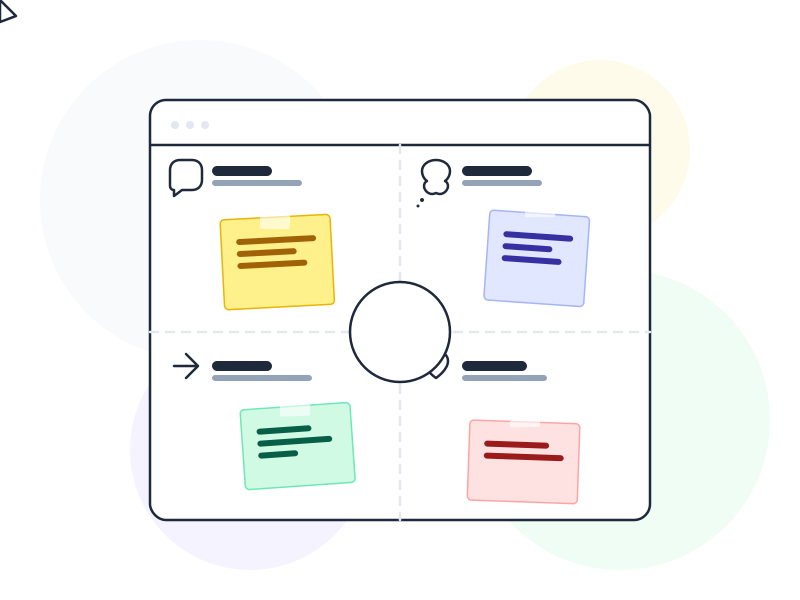
An empathy map is a collaborative UX tool that organizes what a team knows about a specific user into four quadrants – Says, Thinks, Does, and Feels – to build a shared, human understanding of who they’re designing for.
Why It Matters
Designers and product teams spend most of their time in screens, tickets, and metrics. The people they’re designing for are somewhere else entirely – dealing with real contexts, real emotions, and real constraints. An empathy map in UX is a forcing function: it makes a team stop and articulate what they actually know about users, as opposed to what they assume.
The tool’s real power is in the gaps it reveals. A team might easily fill in what a user does and says – that’s observable. But what does the user think that they’d never say out loud? What do they feel that contradicts what they publicly express? Those gaps between the quadrants – where stated behavior differs from private thought – are where the most valuable design insights tend to live.
Empathy maps are also fast. A workshop that produces a useful empathy map takes 60–90 minutes. Compared to the time it takes to build a full user persona, an empathy map can be created directly from fresh research notes, with the whole team in the room synthesizing together. That immediacy is a feature, not a limitation.
How It Works
The standard NNG format (originally by Dave Gray, refined by XPLANE) divides a central user representation into four quadrants:
Says: Direct quotes and paraphrases from research – what the user literally said during interviews or testing. “I always check the return policy before I buy.” This quadrant should be anchored in real data, not team assumptions.
Thinks: What the user is thinking but might not say out loud. Deeper concerns, background worries, private opinions. “I don’t trust this site, but I don’t want to seem paranoid.” Often inferred from behavior and subtext in interviews rather than stated directly.
Does: Observable actions and behaviors – what the user actually does, not what they say they do. Browsing multiple tabs, re-reading the pricing page three times, abandoning the form at step four. Behavioral data, session recordings, and usability testing observations feed this quadrant.
Feels: The user’s emotional state. Frustration, excitement, anxiety, relief. These are often expressed through body language, tone of voice, or explicit statements during research. “Ugh, why do I have to fill this in again?”
Two additional zones in the extended model:
- Pains: Frustrations, obstacles, fears encountered along the way
- Gains: Goals, desires, and what success looks like for this user
These connect directly to design thinking problem framing and feed naturally into opportunity definition.
Empathy Map vs. User Persona
These tools are frequently confused, but they serve different purposes. A user persona is a synthesized archetype representing a user segment – it includes demographics, background, goals, and context built up over multiple research cycles. A persona is a deliverable you return to over time.
An empathy map is a real-time synthesis tool. It’s designed to be created quickly from specific research (one interview, one session, one contextual study) and is often user-specific rather than segment-wide. You might create five empathy maps from five individual interviews, then synthesize them into one persona. They’re inputs to persona development, not substitutes for it.
Real-World Example
A healthcare startup was redesigning their patient app – specifically the experience of waiting for test results. They ran contextual interviews with six patients and immediately held an empathy map workshop with the full product team.
In the Says quadrant, patients described asking staff repeatedly for updates. In the Thinks quadrant, the team inferred patients worried that no news meant bad news – a fear they wouldn’t voice to hospital staff. In the Does quadrant, behavioral data showed patients opening the app dozens of times a day without taking any meaningful action. In the Feels quadrant, research revealed anxiety as the dominant emotion, not the calm hopefulness the team had assumed.
This single insight reframed the design problem entirely. Instead of optimizing notification timing (the original brief), the team redesigned the waiting experience itself – adding contextual status explanations (“Your sample is in the lab – results typically ready in 4 hours”) that significantly reduced anxiety and compulsive app opens. The empathy map made a systemic problem visible that no metrics had captured.
How to Apply
- Build the empathy map directly from fresh research. Run the workshop while the research is still vivid – within 24 hours of interviews or sessions if possible. Delayed synthesis loses important nuance.
- Separate observed data from inference. Use color-coding or symbols to distinguish what users literally said and did from what the team is inferring about thoughts and feelings. This keeps the map honest and prevents assumption drift.
- Create one map per user, then synthesize. Multiple individual empathy maps reveal patterns across users better than one aggregated map that blurs meaningful differences between participants.
- Focus on contradictions. The most valuable signal is when what a user says conflicts with what they do or feel. These tensions point directly to real design opportunities – the gap is where the problem lives.
- Use it to kick off design sprints. An empathy map at the start of a design thinking session ensures the team is solving a real human problem rather than a product assumption dressed up as user need.
Common Mistakes
Filling it in without real research. An empathy map based on team assumptions about users is worse than no empathy map – it creates false confidence. Every entry should trace back to observed or reported user data. If a quadrant is empty, that’s a signal you need more research, not permission to invent.
Confusing it with a persona. Empathy maps are not personas. If someone asks for “a persona” and receives an empathy map, they’ll be confused and the tool will lose credibility. Know when to use which, and explain the difference clearly to stakeholders before the workshop.
Making it once and never revisiting it. User context changes. An empathy map built on research from 18 months ago may be actively misleading now. Treat it as a living artifact that gets revisited when you run new research cycles.
Related Concepts
- User Persona – the segment-level archetype that empathy maps feed into
- User Journey Map – the temporal extension of empathy map insights across a full experience arc
- Design Thinking – the framework where empathy mapping sits in the Empathize phase
- Usability Testing – feeds the Does and Feels quadrants with direct behavioral observation
- Mental Model – what lives in the Thinks quadrant; the user’s internal understanding of how things work