
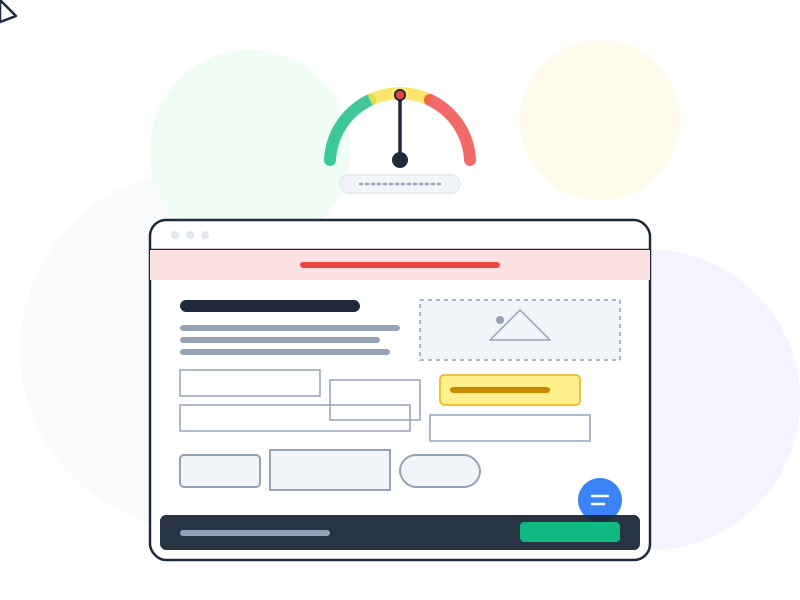
Cognitive load is the total amount of mental effort required to complete a task in a user interface. Every decision, every label to read, every option to evaluate adds to this load. When it exceeds a user’s capacity, they slow down, make mistakes, or abandon the task entirely.
Why It Matters
Human working memory is limited. Research consistently shows that people can hold roughly 4-7 items in working memory at once. Every interface element competes for a share of that limited space – navigation labels, form fields, notifications, visual complexity, and content all draw from the same pool.
When an interface demands too much mental effort, users don’t try harder – they give up. They close the tab, switch to a competitor, or call support. High cognitive load is one of the most common reasons users abandon forms, fail to complete onboarding, or ignore features that would actually help them.
The good news: cognitive load is something designers can directly control. Every layout decision, every label, every eliminated step reduces the mental effort required. The best interfaces don’t feel simple because they lack features – they feel simple because they manage cognitive load well.
How It Works / Types
Cognitive load theory, developed by John Sweller, identifies three types of mental effort. Understanding all three helps designers target the right problems.
Intrinsic Load
The inherent difficulty of the task itself. Filing taxes is harder than checking the weather – no amount of design can change that. Intrinsic load is determined by the complexity of the content and the user’s existing knowledge. A first-time user faces higher intrinsic load than an expert performing the same task.
What designers can do: Break complex tasks into smaller steps. Use progressive disclosure to reveal complexity gradually instead of all at once. Provide contextual help where the task is genuinely hard.
Extraneous Load
The unnecessary mental effort caused by poor design. Confusing labels, cluttered layouts, inconsistent navigation, and unclear error messages all add extraneous load. This is the type designers have the most control over – and the one they should ruthlessly eliminate.
What designers can do: Simplify layouts. Use clear, specific labels. Remove decorative elements that don’t serve a function. Follow established patterns so users don’t have to relearn your interface.
Germane Load
The productive mental effort spent building understanding. When a user learns how your navigation works and can predict where to find things, that’s germane load – effort that pays off in future efficiency. Good design encourages germane load by being consistent and predictable.
What designers can do: Use consistent patterns throughout the product. When users learn how one section works, that knowledge should transfer to every other section. Consistency turns learning effort into lasting understanding.
Real-World Example
Compare two airline booking experiences. On one site, the search results page shows 30 flights simultaneously, each with a row of tiny icons for amenities, three price columns for different fare classes, layover details in a compact format, and six sort/filter options at the top. Every piece of information is technically useful – but presented all at once, the page feels overwhelming.
On a competitor’s site, the same results appear in a clean list showing only departure time, arrival time, duration, number of stops, and price. Users who want more detail can expand a flight card to see amenities, fare classes, and layover breakdown. The information is identical – the difference is how much cognitive load each approach demands at first glance.
The second approach wins because it respects the limits of working memory. Show what users need to make the first decision (which flight to look at), then reveal details on demand.
How to Apply
-
Reduce choices to reduce effort. Every option on screen requires mental processing. If a settings page offers 25 toggles, users freeze. Group related options, hide advanced settings behind a clear label, and provide smart defaults so most users never need to touch the settings at all.
-
Use visual hierarchy to guide attention. Not everything on screen is equally important. Make primary actions large and prominent. Push secondary information to smaller text or collapsed sections. When users can instantly identify what matters, they spend less effort scanning.
-
Eliminate unnecessary steps in flows. Every additional screen in a user flow adds cognitive load – users have to understand where they are, what happened, and what to do next. Combine steps where possible. If you can remove a confirmation screen without adding risk, remove it.
-
Write short, specific labels. “Submit your request for processing” can just be “Submit.” “Please enter the email address associated with your account” can be “Email.” Clear, concise labels reduce the reading load on every interaction.
-
Maintain consistency. If the “Save” button is blue and in the top-right corner on one page, it should be blue and in the top-right corner on every page. Inconsistency forces users to re-evaluate every interaction instead of relying on learned patterns.
Common Mistakes
Adding help text to fix a confusing interface. If a feature needs a paragraph of explanation, the feature is too complex – not under-documented. Tooltips, info icons, and instructional text add cognitive load themselves. Fix the design first; add help text only for genuinely complex tasks.
Showing everything at once “for transparency.” Displaying all options, all data, and all features simultaneously feels like giving users full control. In reality, it overwhelms them. Progressive disclosure – showing information only when it’s relevant – respects users’ attention without hiding anything permanently.
The number of choices presented at once directly affects cognitive effort – a relationship formalized by Hick’s Law. Similarly, every label, error message, and button copy is an opportunity to reduce load: concise, specific microcopy communicates clearly without demanding extra reading effort.
Assuming expert-level familiarity. Designers use their own product hundreds of times during development. What feels simple to the team may be overwhelming to a first-time user. Regular usability testing with new users is the only reliable way to gauge actual cognitive load.
Further Reading
- Minimize Cognitive Load to Maximize Usability – Nielsen Norman Group’s practical guide to reducing mental effort in interface design
- What is Cognitive Load? – Interaction Design Foundation’s overview of cognitive load theory and its application in UX