
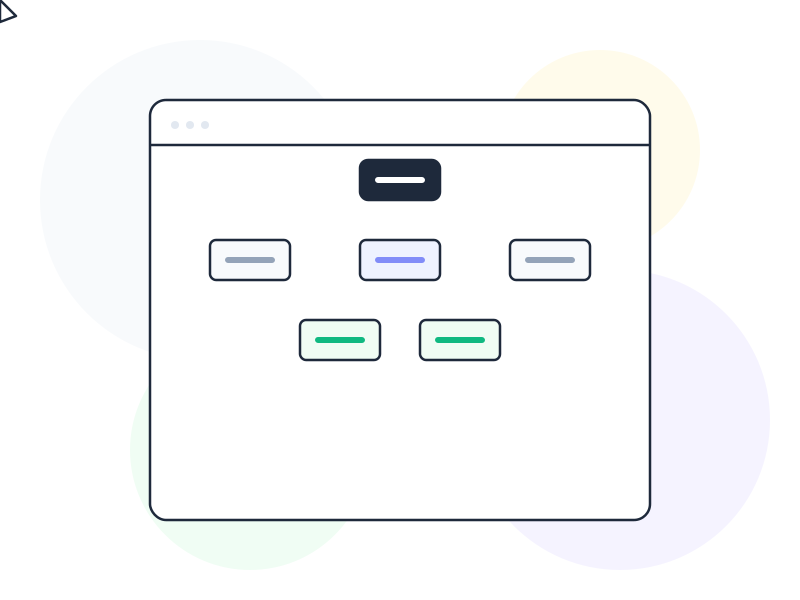
Information architecture (IA) is the practice of organizing, structuring, and labeling content so that users can find what they need and complete tasks without confusion. It’s the invisible blueprint that determines how information is grouped, what goes where, and how users move between sections of a product.
Why It Matters
A product can have great visuals, fast performance, and compelling content – but if users can’t find what they’re looking for, none of that matters. Information architecture is the foundation that makes everything else work.
Poor IA reveals itself through familiar symptoms: users get lost navigating between sections, support tickets pile up with “where do I find X?” questions, and bounce rates climb on pages that should be converting. These problems are rarely caused by bad content – they’re caused by content organized in a way that makes sense to the team but not to users.
Good IA is invisible. When the structure matches users’ mental models, navigation feels intuitive. Users don’t think about where to click – they just know. This alignment doesn’t happen by accident. It requires research, testing, and deliberate structural decisions made before the first wireframe is drawn.
How It Works / Types
Information architecture operates through four core components:
Organization Systems
How content is grouped and categorized. An e-commerce site might organize products by category (shoes, shirts, accessories), by audience (men, women, kids), or by use case (running, casual, formal). The right system depends on how your users think about the content – not how your internal teams are structured.
Labeling Systems
The words used to represent categories and links. Labels must be clear, concise, and meaningful to users. “Resources” means different things to different people. “Help Articles” or “Design Templates” tells users exactly what to expect.
Navigation Systems
How users move through the structure – primary menus, secondary menus, breadcrumbs, search, filters. Good navigation provides multiple paths to the same content because different users look for the same thing in different ways. Choosing the right navigation pattern for your content depth and user tasks is one of the most consequential IA decisions.
Search Systems
How users find content when browsing fails. Effective search includes auto-suggestions, filters, and clearly formatted results. For content-heavy products, search is often the primary navigation method, not a fallback.
Real-World Example
Consider how Spotify organizes millions of songs. Users can reach the same song through multiple paths: searching by title, browsing by artist, exploring genre-based playlists, checking their listening history, or following algorithm-driven recommendations like Discover Weekly.
This isn’t an accident – it’s deliberate information architecture. Spotify’s IA recognizes that music discovery is non-linear. Users don’t think in a single hierarchy. They browse by mood, by activity, by what friends are listening to. The IA supports all of these mental models simultaneously, which is what makes Spotify feel effortless despite its enormous content library.
How to Apply
-
Run a card sorting exercise. Give users a set of content items on cards and ask them to group the cards into categories that make sense to them. This reveals how real users – not your team – naturally organize information. Both open sorting (users create categories) and closed sorting (users sort into predefined categories) provide valuable insights.
-
Create a content inventory before designing navigation. List every piece of content your product has or will have. You can’t organize what you haven’t mapped. A simple spreadsheet with page name, content type, and proposed location is enough to get started.
-
Test your structure with tree testing. Give users a text-only version of your navigation hierarchy and ask them to find specific items. No visual design, no layout – just labels and structure. If users can’t find things in the tree, prettier navigation won’t fix the problem.
-
Use clear, specific labels. Replace vague terms like “Solutions” or “Resources” with descriptive labels like “Pricing Plans” or “API Documentation.” When in doubt, run a quick preference test with users – five minutes of testing can prevent months of confusion.
-
Design for multiple navigation paths. Don’t force users into a single route. Combine hierarchical menus with search, cross-links, and contextual navigation. Different users approach the same content from different angles – support all of them.
Common Mistakes
Mirroring your org chart in the navigation. Internal team structure rarely matches how users think about your product. “Engineering,” “Marketing,” and “Sales” might describe your company, but users think in terms of tasks: “Buy,” “Learn,” “Get Help.” Always prioritize user mental models over internal structures.
Treating IA as a one-time activity. Products grow. New features, content types, and user segments emerge over time. An IA that worked at launch can become a tangled mess two years later. Schedule regular IA reviews – especially after major feature launches – to ensure the structure still serves users.
Going too deep. Navigation hierarchies deeper than three levels frustrate users. If finding a specific page requires four clicks through nested menus, the structure needs flattening. Users should reach any important content within two to three interactions from the homepage.
Further Reading
- Information Architecture: Study Guide – Nielsen Norman Group’s curated collection of articles and videos on IA research and navigation design
- What is Information Architecture? – Interaction Design Foundation’s comprehensive guide to IA principles and practices